
Anime vs Anime Summon Screen: Where It Is and the Void Pack's 6,100-Coin Price
After the tutorial, click SUMMON to reach the Summon screen in Anime vs Anime! — six-pack banner, Codes box and the Void pack's reported 6,100-Coin price.
Quick answer
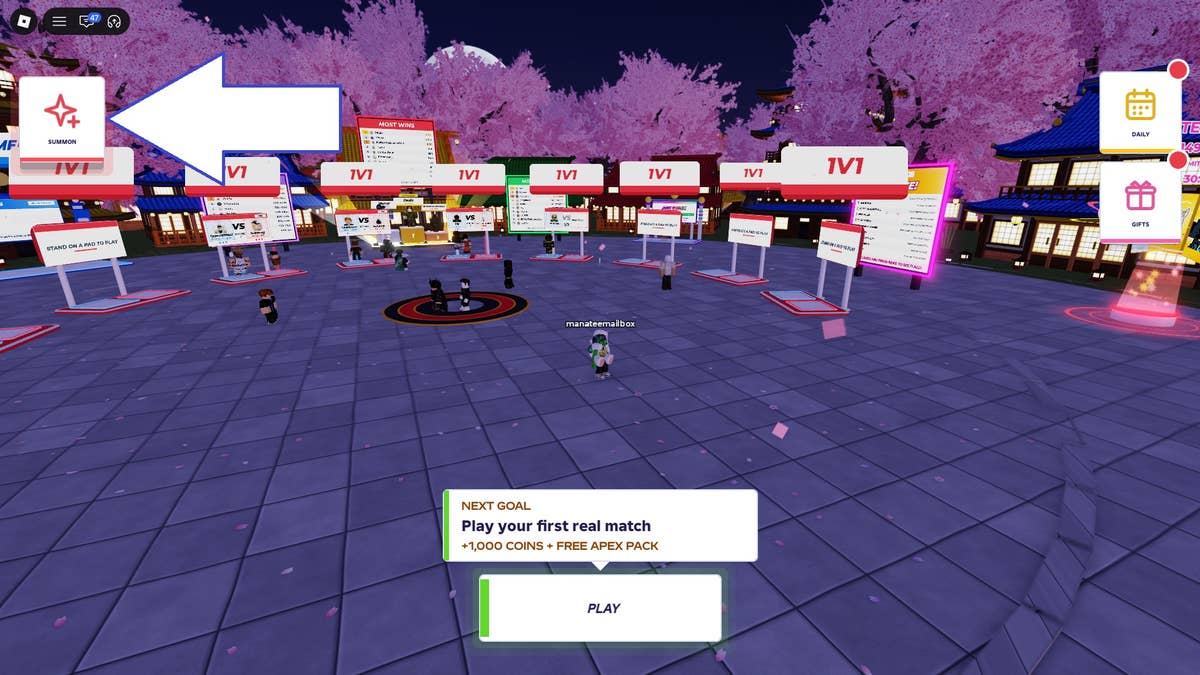
Finish the tutorial, then click the SUMMON button on the left side of the screen to reach the Summon section in the main lobby. That section is where you open packs and redeem codes.
- The Summon section has a six-pack banner, and a Codes field with a Redeem control sits at the bottom of the screen.
- The pack lineup changes every so often. In the reported playthrough, the Void pack cost 6,100 Coins — treat that as a recorded observation of that lineup.
- In one reported playthrough, finishing the tutorial unlocked a God Pack. Some codes award Apex Packs, which may hold rare and powerful characters.
Getting to the Summon screen
- Launch Anime vs Anime in Roblox.
- Complete the game's tutorial if you have not already done so. In one reported playthrough, finishing the tutorial also unlocked a God Pack.
- Click the SUMMON button on the left side of the screen. That opens the Summon section of the main lobby.
After the tutorial, the SUMMON button on the left opens the Summon section. The section has a six-pack banner and a Codes field, and it is where you open packs and redeem codes.
What is on the Summon screen
The pack banner
The banner shows six packs at a time, and the lineup changes every so often, so the packs you saw last session are not guaranteed to still be sitting there. Packs can get expensive. In the reported playthrough, the Void pack cost 6,100 Coins — that is the one concrete price attached to a named pack, so treat it as a recorded observation of that lineup rather than a price list for whatever is on the banner today.
The Codes box
At the bottom of the screen there is a text-entry field with a Redeem control. Guide screenshots show it as the Codes box with a Redeem arrow pointing at it, on the same Summon screen as the pack banner. For the current code list, see the Anime vs Anime! codes page.
The pack types you can encounter
Pack types on and around the Summon screen
Banner packs
The six packs shown on the Summon screen's banner. The lineup changes every so often, packs can get expensive, and the Void pack was priced at 6,100 Coins in the reported playthrough.
God Pack
In one reported playthrough, finishing the tutorial unlocked a God Pack, and the fighter pulled from it was described as a Mythic Secret King of Curses.
Apex Packs
Some codes award Apex Packs, which may hold rare and powerful characters.
Pack reveal and card screens
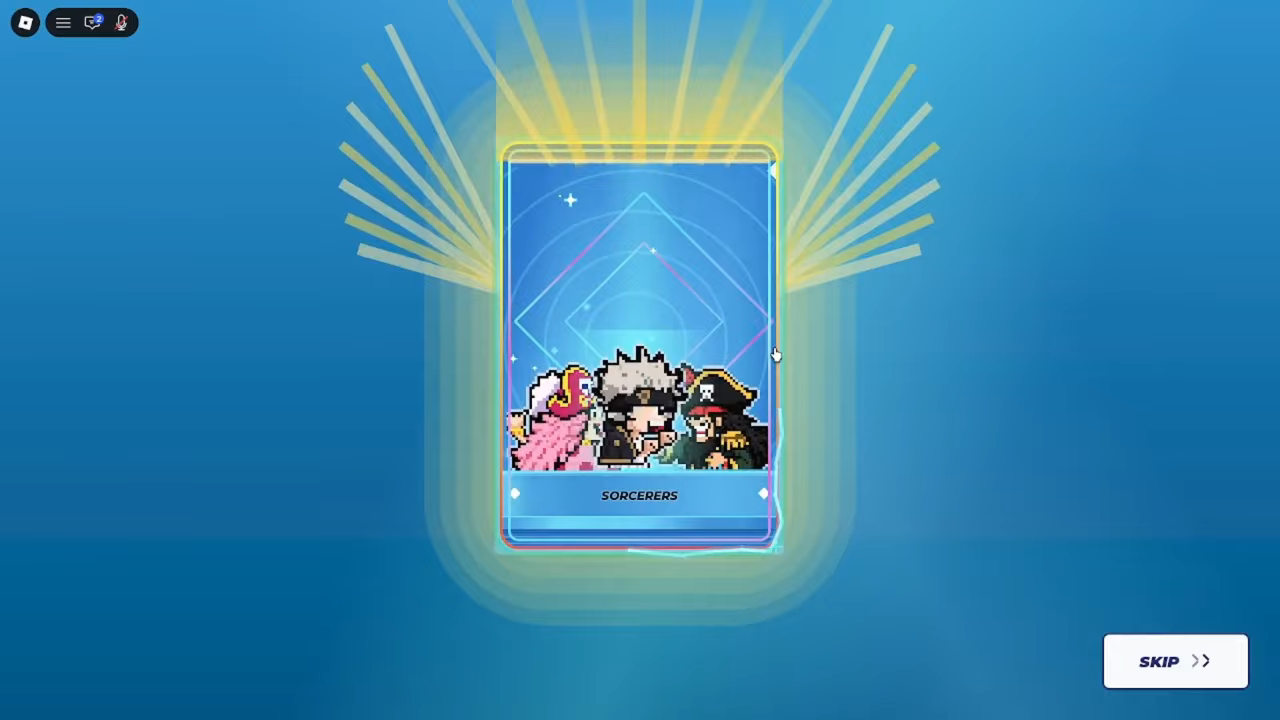
A recorded gameplay session shows a pack reveal screen for the SORCERERS pack, so a pack's name appears on the reveal itself, not only on the banner.
The same session separately shows a card-dealing screen labelled ROLLING YOUR FIGHTERS, which deals 10 fighters from your collection. On that screen, the revealed fighter cards display rarity labels including MYTHIC, DIAMOND and COMMON, one revealed card (SHINRO) is tagged COPY, and a SKIP button is visible while the cards are dealt.
Why the packs exist
Anime vs Anime has over 80 collectible fighters, each with their own moves, ultimate and awakening. Opening packs can unlock rare characters and help build your team — the official game description frames it exactly that way. And because the banner lineup changes every so often, it is worth checking what is currently sitting on the banner before you spend Coins.
The currency guide covers Coins — the currency the Void pack price is quoted in.
Where this fits next
If you are new to the game overall, the beginner guide covers the wider early-game sequence around the tutorial and first matches. For the fighting side of the loop, the combat guide explains what you do with the fighters you collect.
Related Guides
Codes and Redemption
Check reported codes and rewards, then learn how to redeem them on the Summon screen.
Coins, Emeralds and Apex Packs
Learn how Coins, Apex Packs and Emeralds are obtained, and how Coins and packs are used at the Summon screen.
Anime vs Anime! 'Dealing 10 Fighters From Your Collection' Screen: What It Is and How It Differs From Pack Openings
The 'Dealing 10 fighters from your collection' screen is the pre-match ROLLING YOUR FIGHTERS roll. Here's what it does and how it differs from opening packs.
From Tutorial to Your First Match
Follow a first-timer's path from the tutorial to summoning fighters, learning battle controls and starting your first match.